Required inputs#
Default values are provided for almost all configurable aspects of Hyrax, but there are three essential pieces of information that a user must provide:
The model to use for training or inference
The data that will be provided to the model
The function needed to prepare the data for the model
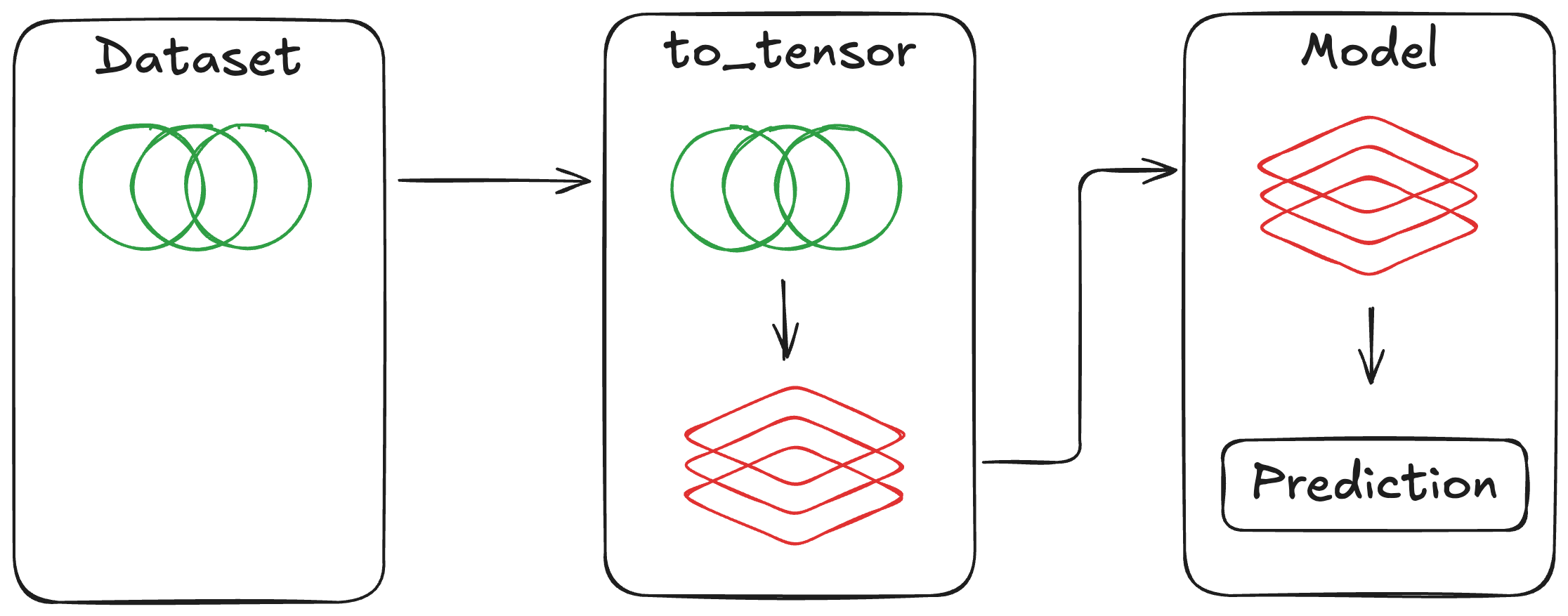
The user must specify three main components, Hyrax provides the rest.#
Define the model#
At its core, Hyrax is a framework for training and running machine learning models. To do this, a user must provide the model that Hyrax will use for training or inference. There is no reasonable default, so the user must provide Hyrax with a model. The model class reference details the full interface your model must implement.
Check out the Getting Started tutorial for an example of specifying a built-in model for training.
Define the data#
Hyrax needs to know what data to provide to the model during training or inference. To do this, a user must specify a dataset class that Hyrax can use to load data samples. The dataset class reference describes the methods your dataset must provide.
Check out the Getting Started tutorial for an example of specifying a built-in dataset for training.
Prepare the data#
To support reusability, Hyrax encourages the separation of datasets and models. i.e. the form of the data provided by a dataset class should not be customized for a specific model, nor should a model architecture be hardcoded to a specific dataset.
In order to convert the content of a dataset into a form that is suitable for a model,
Hyrax requires a prepare_inputs static method on the model class that will prepare
the data for the model (see Model class reference for full details).
As a contrived example, consider a dataset where each data point is composed of
three 2d arrays: “science”, “mask”, and “variance”.
To be flexible, the dataset class that provides data from disk would return each
array individually.
The model may expect a single flattened array as input.
In this case, the user would need to define a prepare_inputs function that takes in
the structured data sample and stacks the arrays into a single array before
returning it.
The user may then want to quickly experiment with the model by first providing
only the “science” array as input, and later adding in the “variance” array as well.
By defining a custom prepare_inputs function, the user can easily modify how the
data is prepared for the model without needing to modify either the dataset or
the model code. See Data Flow Through Hyrax for the complete pipeline and the
custom prepare_inputs notebook for runnable
examples.
Note
The older function name to_tensor is deprecated but still supported for backward compatibility. Please use prepare_inputs in new code.